
Introduction#
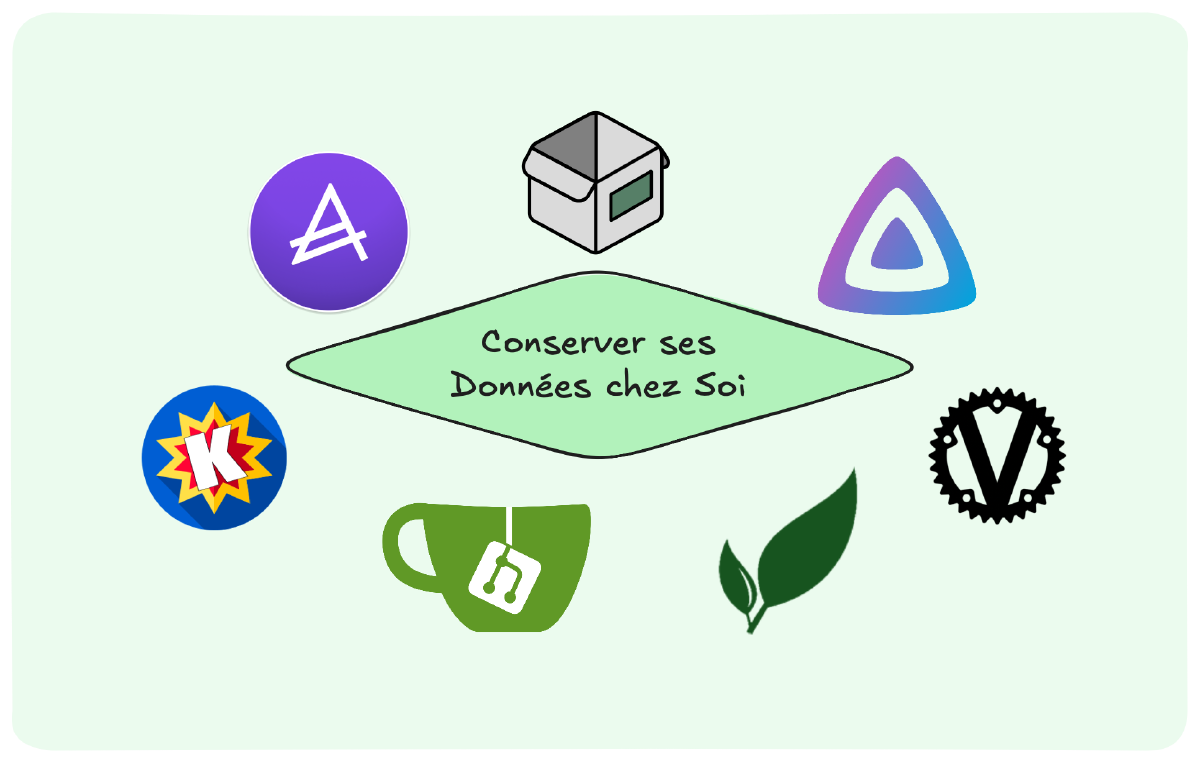
As I work toward becoming a Security Architect, I’ve chosen to strengthen my skills by building a homelab where I control my own data. Hosting services at home isn’t just about privacy, it’s also about ownership, resilience, and accountability. By experimenting with self-hosted solutions, I’m learning how to secure, organize, and protect digital environments, practices that will serve both my career and my future responsibilities in cybersecurity.
Why it Matters#
Before diving into the tools, let’s talk about the why. Cybersecurity isn’t just about defending networks, it’s about understanding how data flows, where it’s stored, and who has access. Self-hosting allows me to protect my privacy but also gaining hands-on experience with:
- Data sovereignty: No third-party cloud provider can access or lose my data.
- Infrastructure management: Running my own servers teaches me about hardening, backups, and disaster recovery.
- Threat modeling: Every tool I deploy is a chance to think like an attacker, and a defender.
My Self-Hosted Stack for Data Hoarding and Organization#
1. Gitea : Code Hosting#
What it does: Gitea is a lightweight, self-hosted Git service that provides repositories, issue tracking, and collaboration tools, similar to GitHub, but under my control.
Why I use it:
- Private repositories: Store personal and homelab code without relying on third parties.
- Learning CI/CD basics: Experiment with pipelines and automation safely.
Cybersecurity value: Gitea allows me to store my code myself. It’s also a practical way to understand how sensitive intellectual property should be secured in enterprise environments.
2. Paperless NGX : Secure Document Management#
What it does: Paperless NGX is an open-source document management system. It scans, OCRs, and organizes physical and digital documents, without depending on external cloud services.
Why I use it:
- OCR and tagging: Automatically extracts text from PDFs and images, so I can find any document in seconds.
- Workflow automation: Sets up rules for sorting documents into categories.
- Security: All documents stay on my server, encrypted and backed up.
Cybersecurity value: Running Paperless-ngx helps me practice access control policies, and secure storage of confidential files.
3. Actual Budget: Finance Tracking#
What it does: Actual Budget is a self-hosted budgeting app that helps track expenses and plan finances, without sending sensitive data to third-party servers.
Why I use it:
- No ads, no tracking: My financial data stays mine.
- Clear overview: Easy tracking of expenses and savings goals.
- Offline-first: Works even if my internet is down.
Cybersecurity value: Managing financial data locally forces me to think about encryption, database protection, and secure backups.
4. Homebox: Inventory Tool#
What it does: Homebox is a self-hosted inventory management system for tracking household items, electronics, or even licenses.
Why I use it:
- Organized inventory: Keep track of devices, warranties, and assets.
- Data centralization: No more scattered spreadsheets.
Cybersecurity value: Asset management is a core part of cybersecurity.
5. Komga : Digital Library Management#
What it does: Komga is a self-hosted media server for comics, manga, and ebooks, offering a clean interface to organize and read digital collections.
Why I use it:
- Centralized library: All reading material in one secure place.
- Mobile access: Paperback allows me to sync my books with a Komga server.
- API access: I developed my own tool to add content and enrich metadata automatically.
Cybersecurity value: Managing a media server introduces me to content security policies, API security practices, and controlled file sharing.
6. Jellyfin : Media Streaming#
What it does: Jellyfin is a free and open-source media server, similar to Plex or Emby, but with no tracking or licensing restrictions.
Why I use it:
- No subscriptions: I own my media, and Jellyfin streams it without ads.
- Intuitive Interface: Clear and intuitive display of available media.
- Plugins: Extend functionality with subtitles, metadata agents, and more.
Cybersecurity value: Jellyfin teaches me user access management, role-based permissions, and secure storage of media files. It reinforces the importance of controlling internal access and ensuring that sensitive content isn’t exposed unintentionally, even in a trusted environment.
7. Vaultwarden : Password Management#
What it does: Vaultwarden is a lightweight, self-hosted implementation of Bitwarden, offering secure password management with syncing across devices.
Why I use it:
- Centralized secrets: All credentials managed in one place.
- Cross-platform: Works with mobile, browser, and desktop.
- Privacy-first: No external cloud dependency.
Cybersecurity value: Vaultwarden directly reinforces best practices in encryption, MFA, and secure password storage.
Self-Hosting as a Cybersecurity Lab#
Running a homelab is more than organization, it’s a hands-on training ground. By managing my own servers, I practice:
- Secure configurations: hardening Linux, firewalls, and access control.
- Backup strategies: ensuring resilience with reliable tools.
- Incident response: monitoring, detecting, and reacting to threats.
- Learning: new tools, new methods and stay up to date.
Own Your Data#
Self-hosting may not be for everyone, but for an aspiring Security Architect it’s invaluable. It sharpens my mindset on security, privacy, and infrastructure, foundations that will shape my professional journey.